

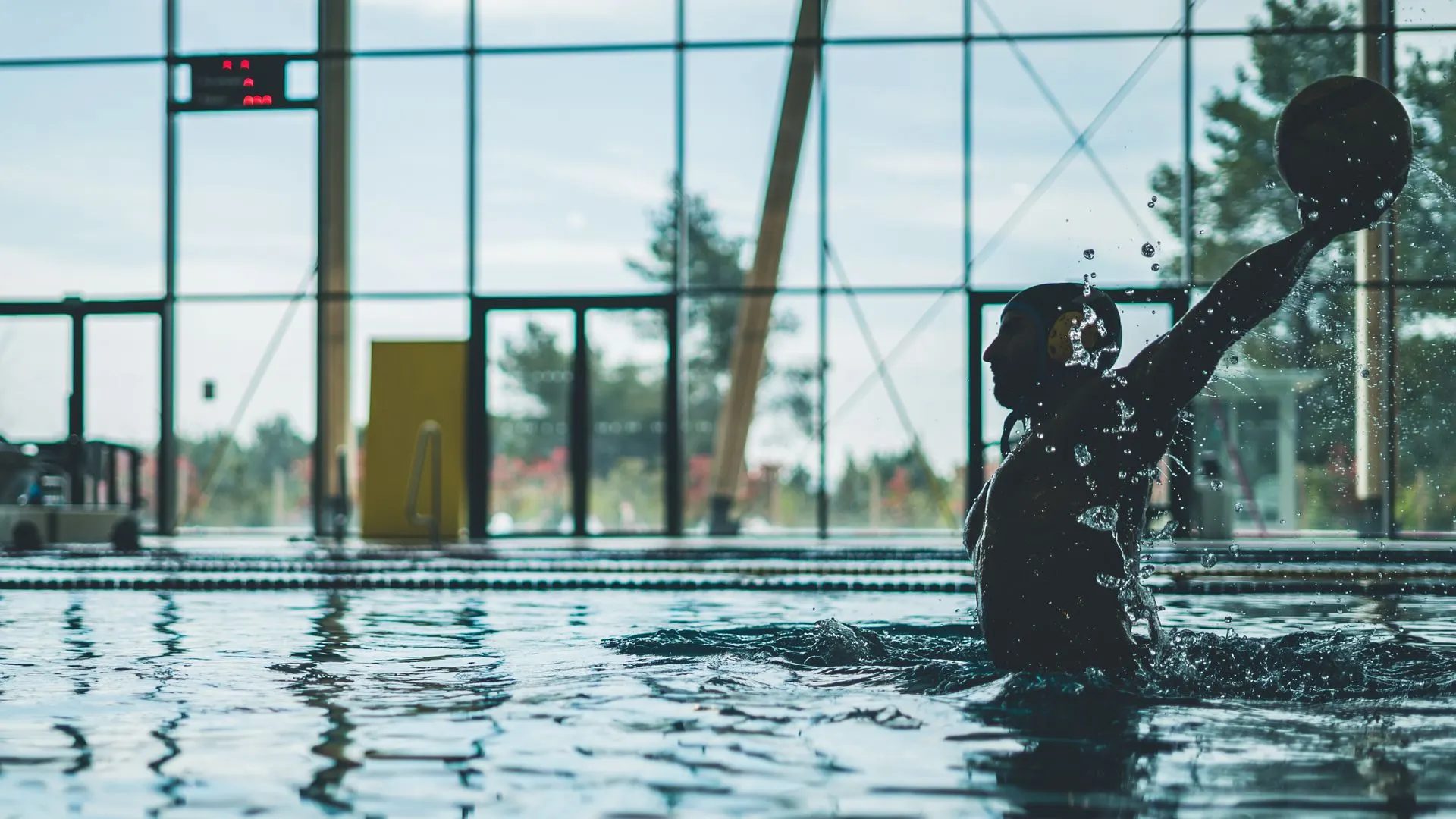
A platform for competitive water polo
WP Pulse
Capture, assess, plan. From the pool to the assessment.

In collaboration with the German Swimming Federation
Squad lists in spreadsheets, fixtures in group emails, observations on paper. Each place works on its own. Together they do not add up to a picture. Since February 2026 one place has been taking shape that brings it all together.
The platform
One place for everyone.
- Coaches, athletes, parents and the association work on the same data, each with their own access.
- The home screen follows its owner. Everyone arranges their own overview, what matters sits at the top.
- No manual required. Built for water polo coaches, not only for sports scientists with a minor in computer science.
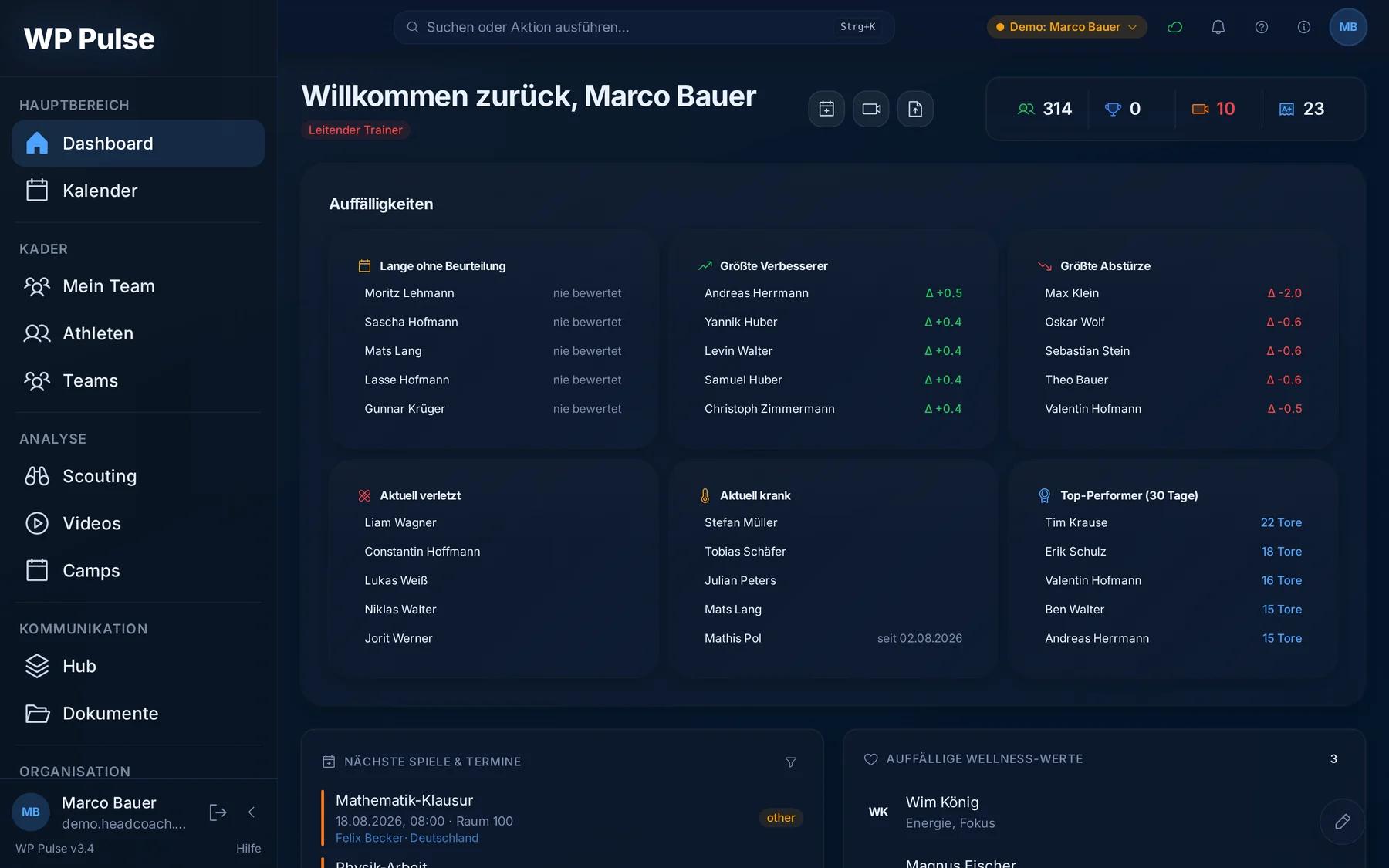
Everyone sees what concerns them, without searching. Athletes see their development. Parents their child. The coach the team.
Organisation
A calendar that thinks along.
- Training and matches, sorted by squad. Everyone gets exactly the dates that concern them.
- A subscription link carries every date over to Google or Apple, for example. The other way round, the school calendar delivers the athletes’ exams, and the coach sees them too.
- Deadlines remind on their own. Nobody has to chase anyone by phone.
- The athletes’ school week sits in the calendar too: each athlete enters their own timetable, and school holidays are added by federal state. When a new term starts, the app reminds them to check it.
- The subscription link works without a login. It has to serve valid data at any moment and still stay secret. That is why it can be regenerated at any time.
Organisation
From club to federation.
Between club, regional association and federation every report has a fixed path, with a deadline and an answer.
Dates from above. A federation announces camps and tournaments, including costs and the athletes’ own share. Clubs take them into their own calendar and register their athletes, and the app sends a reminder before entries close.
Requests down, values up. A higher level requests test results. Clubs report them from their own data, and above they are checked and accepted or handed back.
The squad record follows an athlete into a squad. It shows only what has been released and ends on its own when the release expires. The values are then deleted at the receiving end.
Consent by link. Parents or athletes agree to their data being passed on through a link and can withdraw that consent there at any time.
Organisation
A training camp organises itself.
Call-ups, accommodation, costs, invitations: a process that stays clear and takes a lot of handwork off the table.
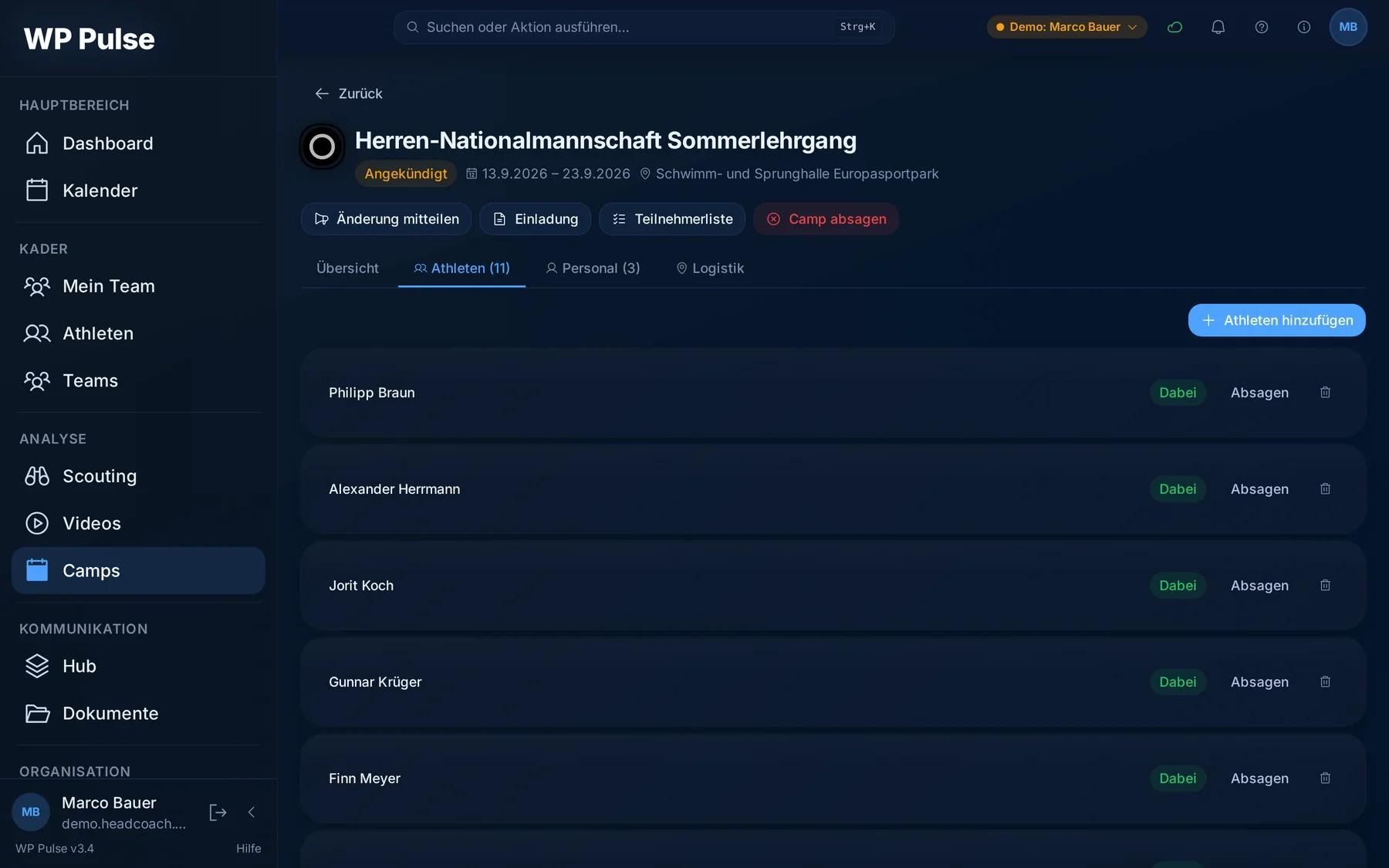
Call up the squad, acceptances and refusals recorded with a reason.
Room allocation and costs in the same place as the squad.
Invitations through the app or as a finished PDF, free to use and adapt.
An emergency sheet with contacts and allergies, everything relevant to planning filterable and ready as a list.
For trips abroad the requirement list checks whose passport expires too soon and reminds them in time.
Made for poolside: few taps, large targets. Simple enough that nobody needs experience with this kind of software.
At poolside
Every shot, three taps.
- Position, target corner, quality. During the match the coach records every shot, with the game clock running alongside. Touch on the iPad, keyboard shortcuts on the laptop. Training, penalties and opponents are kept apart.
- No signal in the pool? Loaded once in the browser, capture continues entirely offline and syncs as soon as there is a connection again.
- A lock per match keeps two devices from overwriting the same record. It expires on its own once a device stops responding.
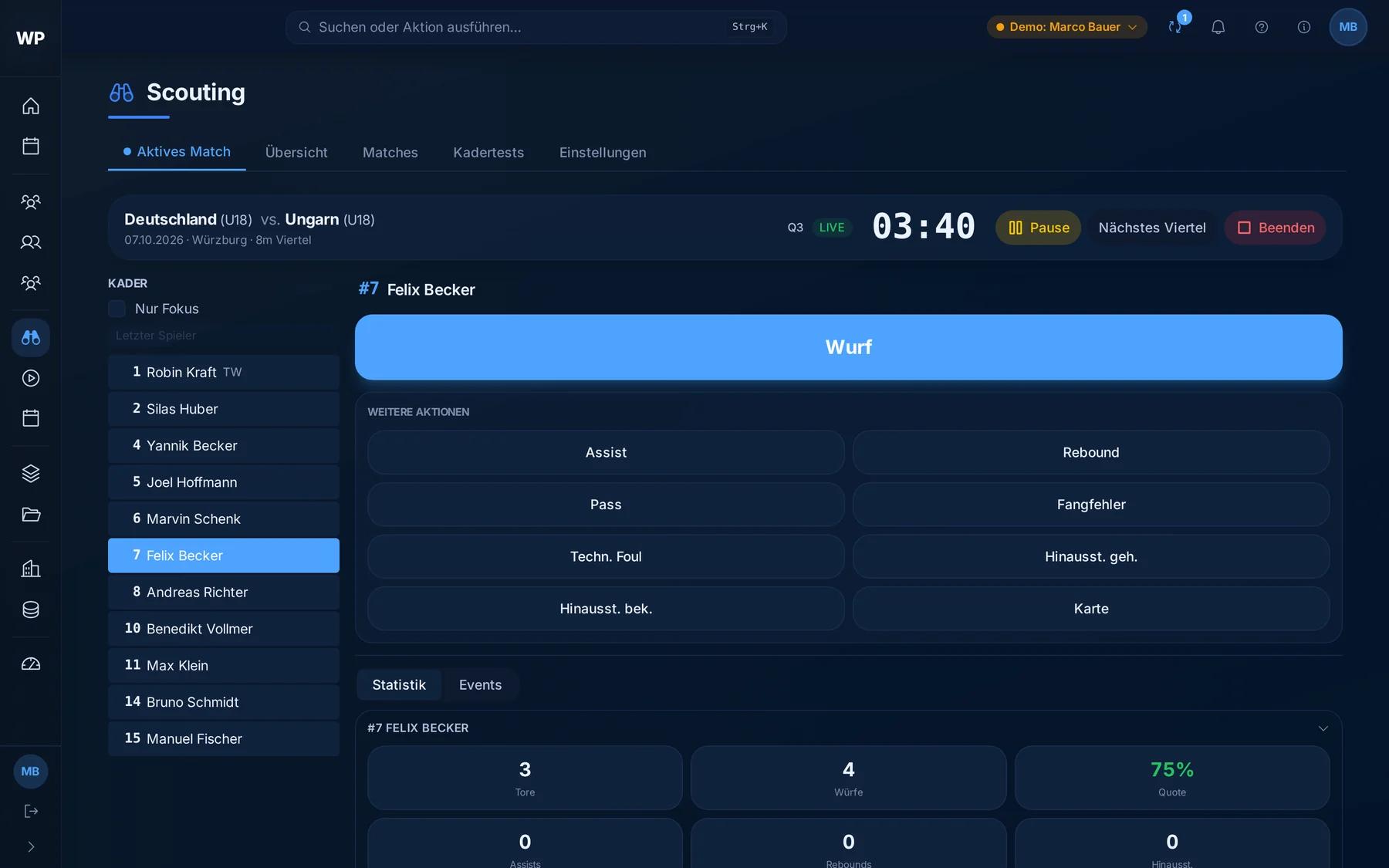
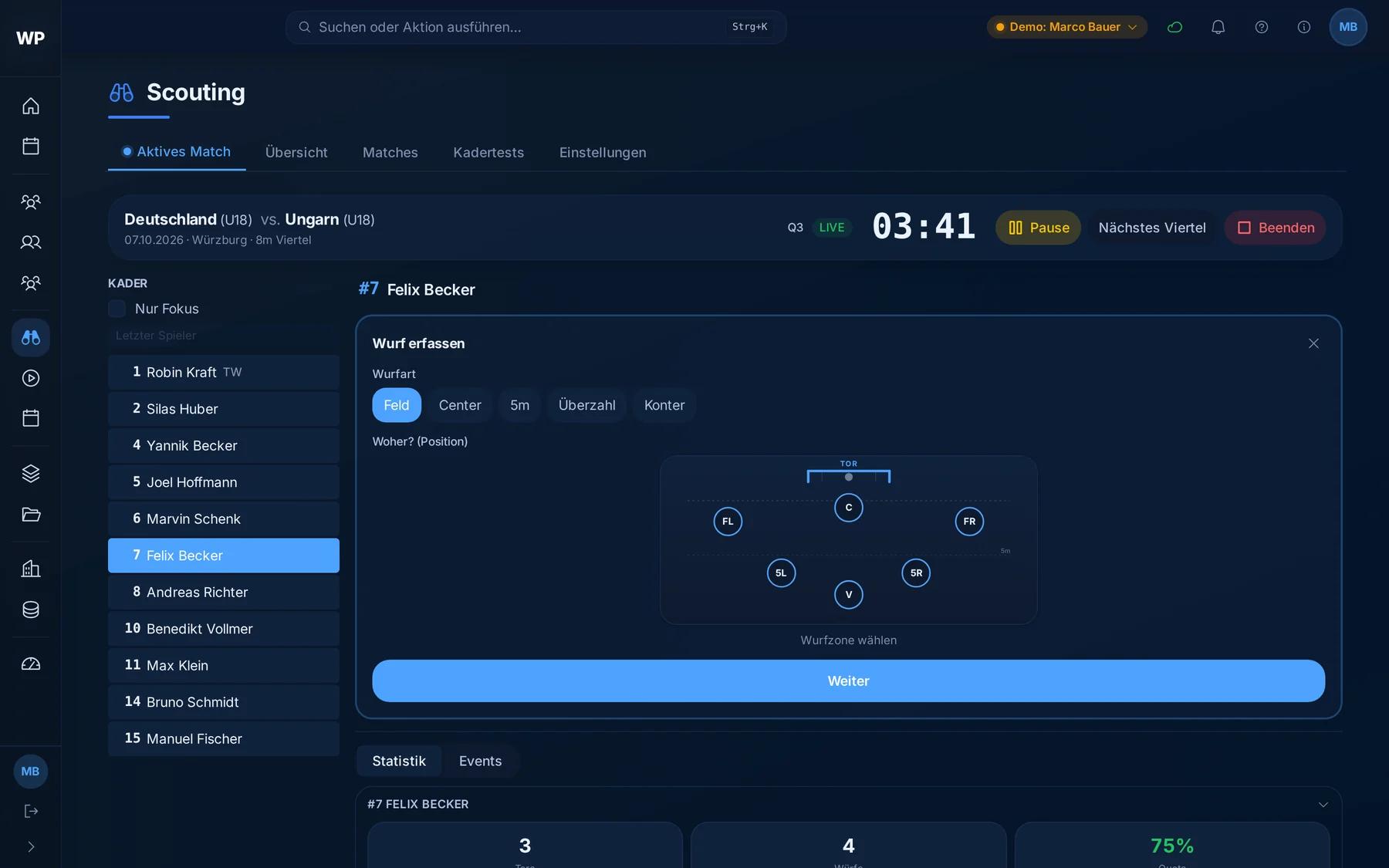
Shots become patterns. Position alone says little. Only with target corner and quality can you tell a well chosen shot that was poorly executed from the opposite case. Across seasons the development stays visible, and nobody maintains lists.
Training
Every session, on record.
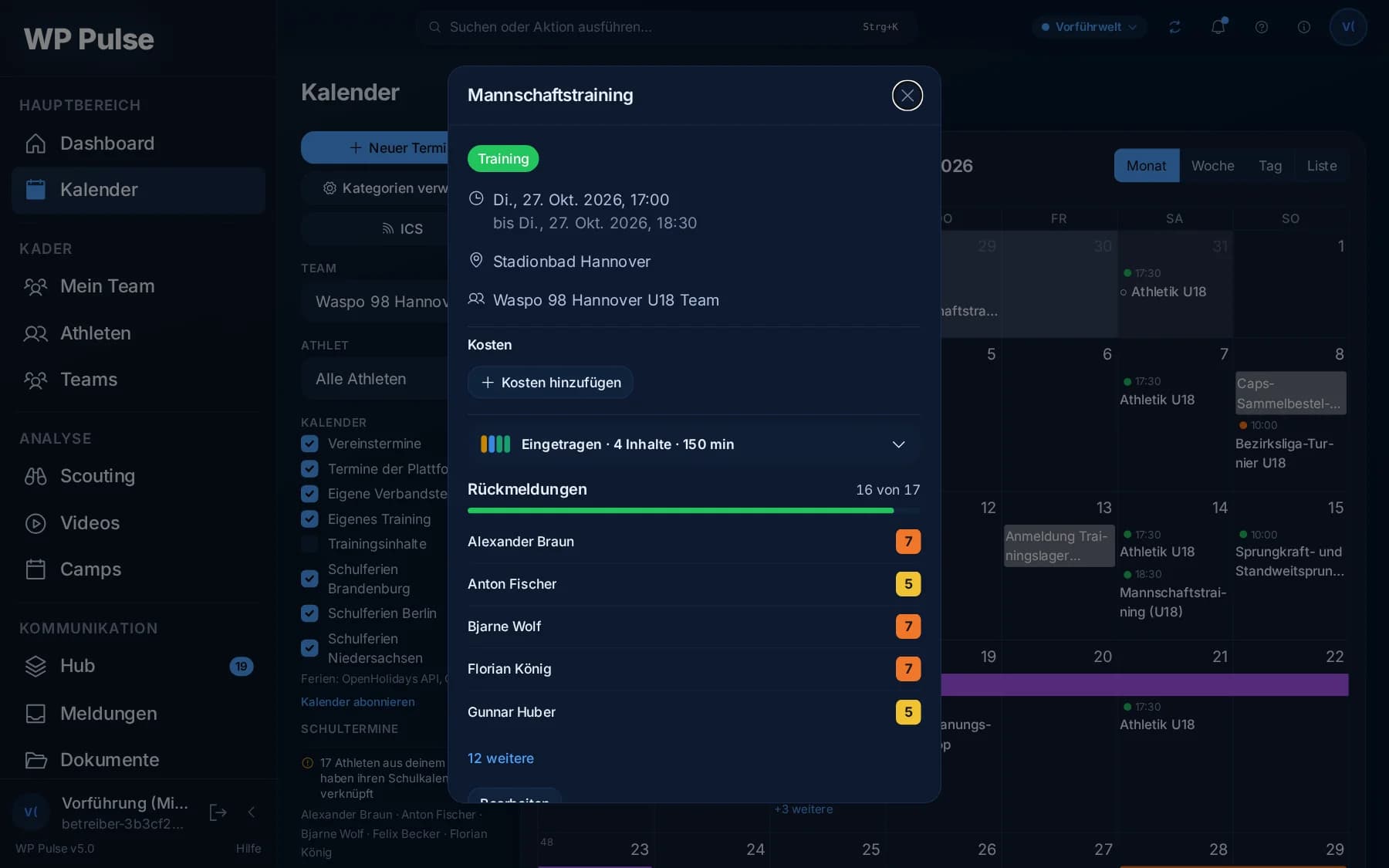
- Entered in the calendar. The coach records content and duration, from their own templates if they like. A tick in the month view shows which sessions are already documented.
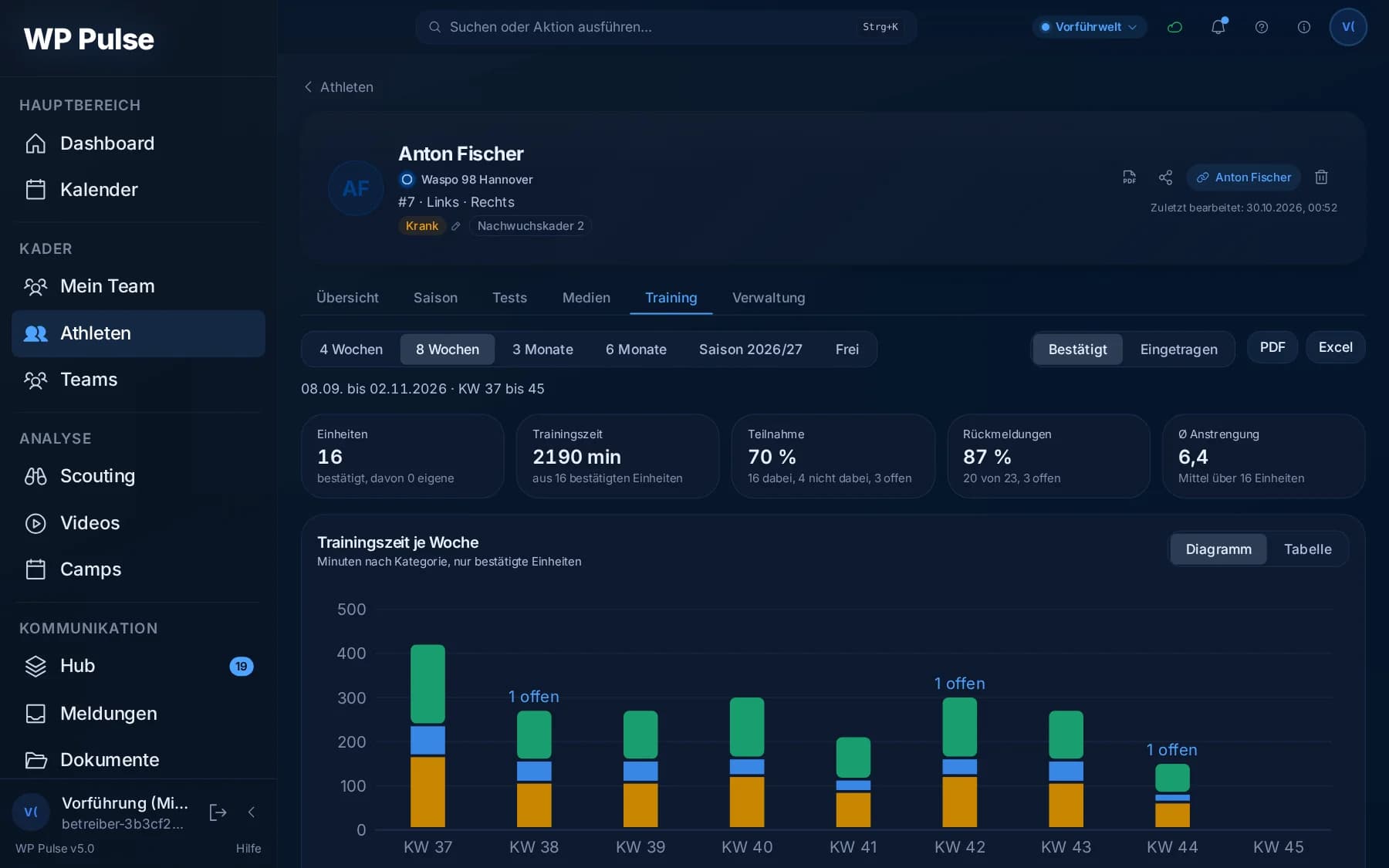
- Athletes report back whether they took part and how hard it was. That makes the load visible over weeks, for each individual.
- Load in proportion. The last seven days sit next to the last twenty-eight. A sudden jump in load stands out, for example after an injury break.
- As PDF or Excel, each athlete’s evaluation can be taken along.
Testing day
One testing day, many stations.
At a testing day several coaches measure at once, each at their own station and on their own device.
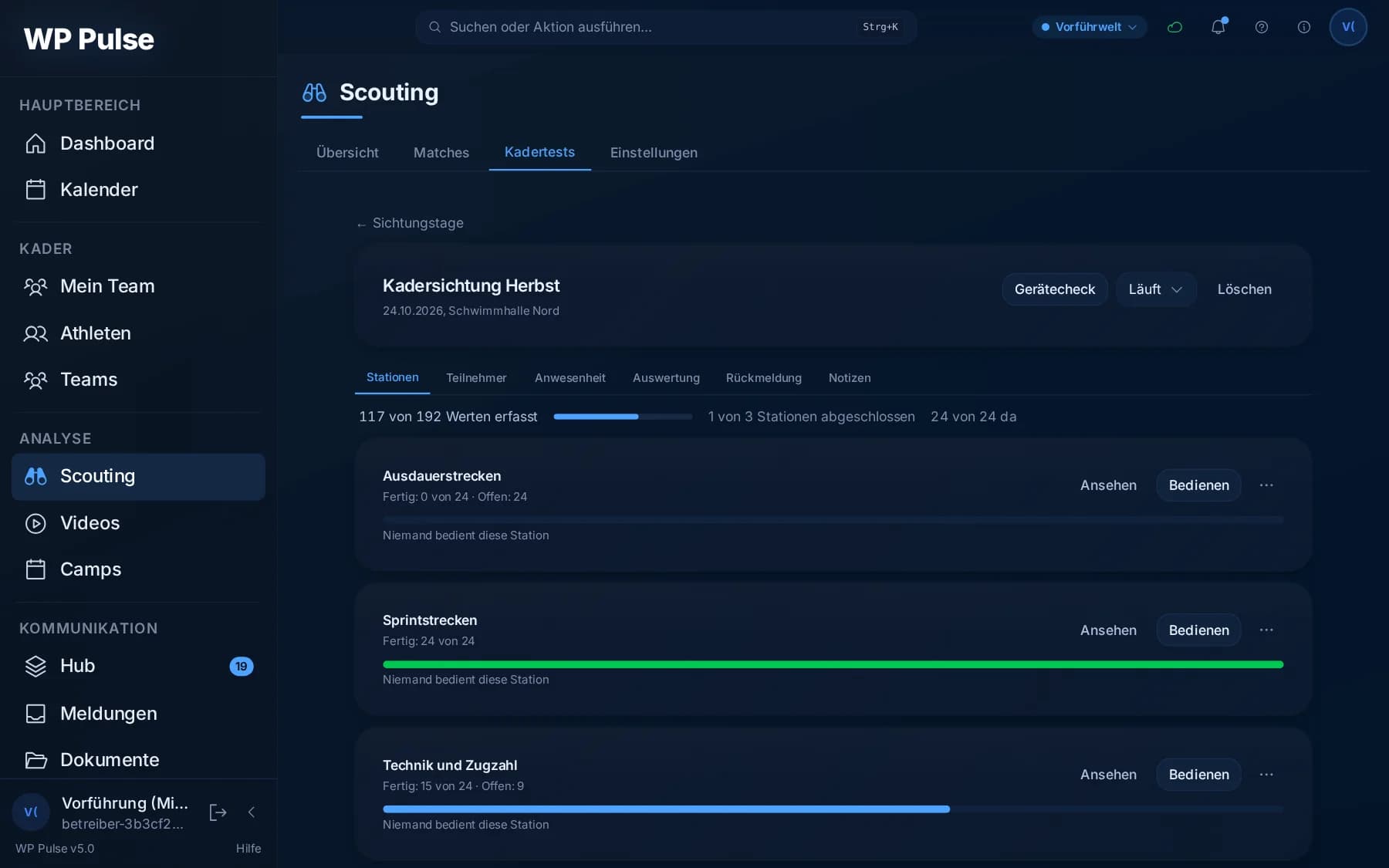
The state of every station is visible at any time: how many values are in, who is present and which station is done.
The stopwatch at poolside shows times to the hundredth and can be operated with the thumb on a phone held upright.
Without a signal too. Values stay on the device and sync as soon as there is a connection again.
Anyone absent drops out of every station’s entry and holds nobody up.
Every value ends up with the athlete. What is measured on a testing day then sits in their record, next to the value from last time.
Visibility
The athlete sees what moves them forward.
- Your own record, always to hand: personal data, body measurements over time, injuries with status, the daily self-report on sleep, energy and motivation.
- Performance tests with context against reference values by age group and gender, plus the statistics from recorded matches.
- Your own training: every session with content and duration, your own attendance and the load over the weeks.
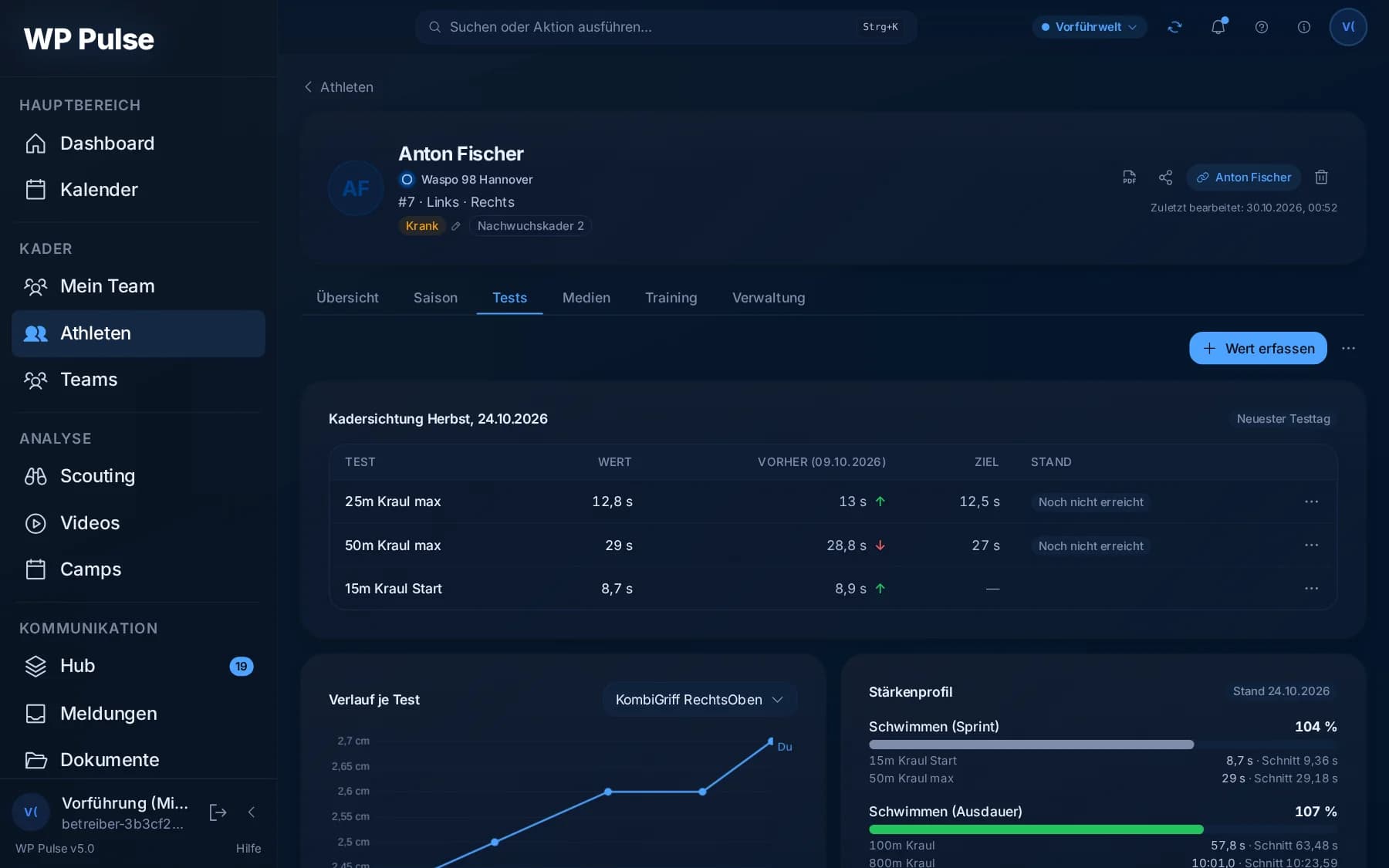
An impression fades. An assessment stays comparable. Whether someone was strong in February and weaker in June only shows if both were recorded against the same yardstick.
Development
Single observations turn into a picture.
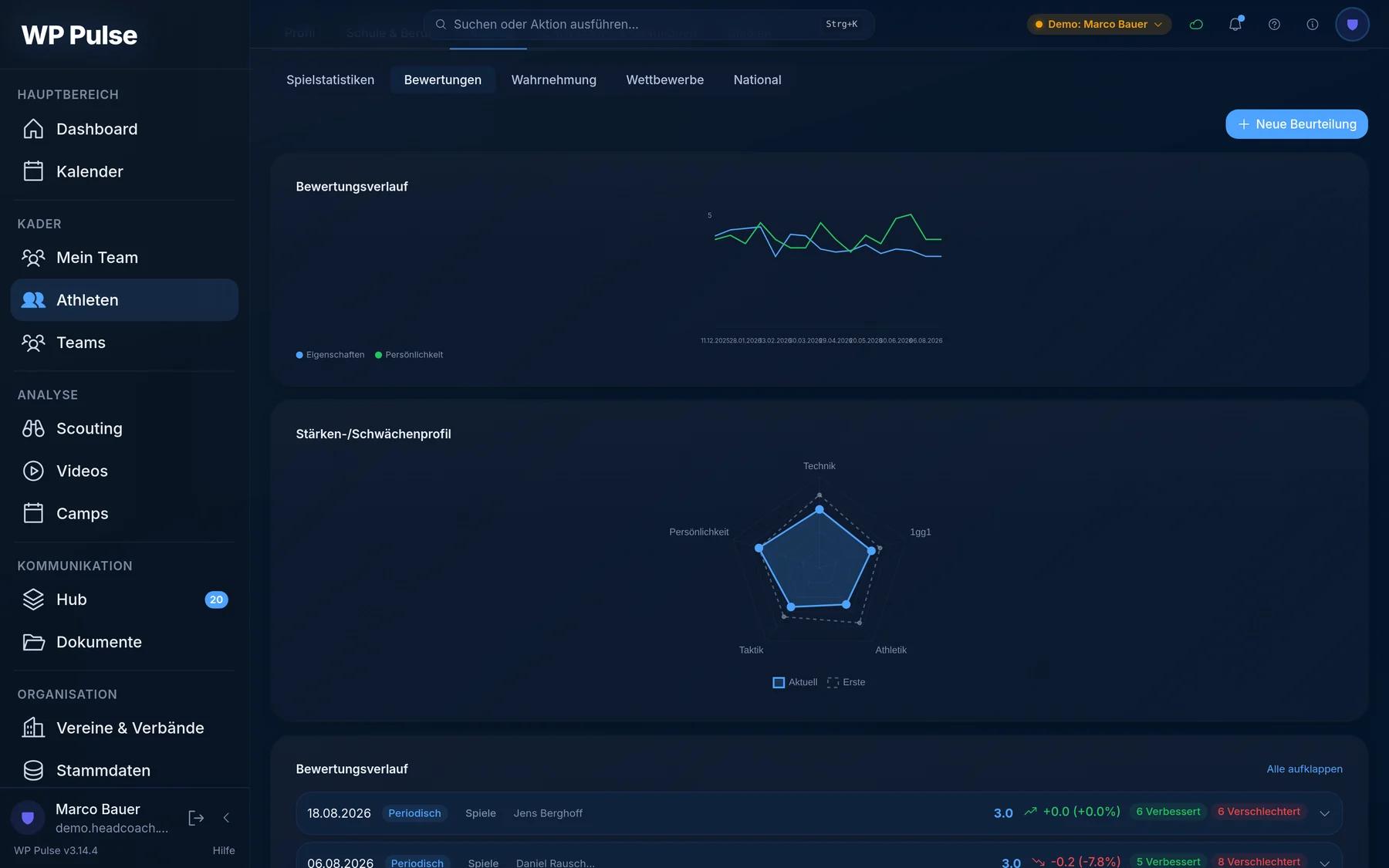
- Every assessment carries a date, an occasion and a name. After a match, after a camp, or on a fixed date. Whoever wrote it is on the record.
- Five areas, two points in time on top of each other. Technique, tactics, athleticism, one-on-one and personality. The web shows the first assessment and the current one in a single image.
- The change is worked out for you. It is not only the mark that counts, but what has moved since last time, in which direction and by how much.
What has been built so far. The numbers come from the source code.
- endpoints, every request passes the same permission check
- 0endpoints, every request passes the same permission check
- screens, from the shot at poolside to the assessment
- 0screens, from the shot at poolside to the assessment
- roles, from association access down to a parent account
- 0roles, from association access down to a parent account
- checks before every update, from permissions to the width of every email on a phone
- 0checks before every update, from permissions to the width of every email on a phone
- jobs run on their own in the background, none of them twice
- 0jobs run on their own in the background, none of them twice
- languages: German, English, Slovak
- 0languages: German, English, Slovak
What you do not see. Four places where the obvious solution was not enough.
Permissions
Forbidden until explicitly allowed.
Six roles from admin down to the parent account. More than four hundred rules for endpoints, pages and data tables sit in one place that both the server and the interface read. An endpoint without an entry cannot ship, and the description of every endpoint is generated from the running application.
Offline
All the way into the login.
An accidental reload without a connection used to land you on the login screen, even though all the data was sitting locally. Now a snapshot without any access token restores the session. Whoever steals it gets a display name and a role, no permissions.
Demo world
A second database, not a switch.
Physically apart, every schema change runs on both, mail and notifications are switched off there. Every image on this page comes from it, with invented people.
Second service
A mail server must never keep a coach waiting.
Beside the application a second service runs from the same build. It drives thirty jobs with locks in the database so none of them runs twice. Anything that depends on a foreign server goes there.
All four solve the same problem: anything that only holds while somebody remembers it will eventually stop holding. So the machine takes it over.
Built the way this era makes possible.
A year ago this would have been hard to imagine in the time available. A good two thirds of the interface work now happens with AI, following precise and clearly bounded instructions. Test scenarios that would once have cost days are ready in hours.
The time that frees up goes into the database and the server logic. The machine may build the scaffolding. Design, refinement and the decisions stay handwork, as does everything the security and integrity of the data depend on.
No change reaches production without having passed through human eyes. That is regularly where the known weaknesses get caught.
The interface
Home: everyone arranges their own overview
Where it stands: Built, ahead of rollout.
WP Pulse started in February 2026 as a pilot project. Its first building block was an area for parent coaching, funded by the Niedersächsische Lotto-Sport-Stiftung. A platform of this size was not on the table back then. That only came with the German Swimming Federation, which I have been working with since July 2026.
WP Pulse has not reached everyday training yet. That starts with the rollout, and until then there are no usage figures. What can be counted is the source: 386,142 lines of application code excluding tests and 3,778 commits since February 2026.
I play water polo myself. What is missing at poolside I know from the water. What happens in the organisation behind it I know from long meetings with the administration.
WP Pulse is the internal working name. People here like it, but it is not final yet.
Every number on this page was counted from the source on 2 November 2026, not estimated.
Photos: Pexels